I stumbled across the following website which is offering 1,000 songs free to download and play on your computer, MP3 player (iPod), or even burn to a cd.
http://www.reverbnation.com/windows
The free downloads are supported by Microsoft Windows of all people. I guess the way to beat piracy is to give things away. I doubt they will adopt this attitude with their Operating System or Office software anytime soon.
The songs are in genres including Alternative, Electronica/Dance, Hip Hop, Jazz, Latin, Pop and Rock. Strangely there is no Classical category but there are a number of instrumentals among the Jazz and Latin categories.
Most of the artists you will have never heard of but there are a couple of Australian bands in there like The Church and a cool Jazz/Fusion band from Sydney call Urban Gypsies. You can play the songs on the website by just clicking the Play button next to the song. If you hear something you like you can download in either M4A or MP3 format. If you don’t know which format to choose go with MP3.
So have an explore and listen to something new today


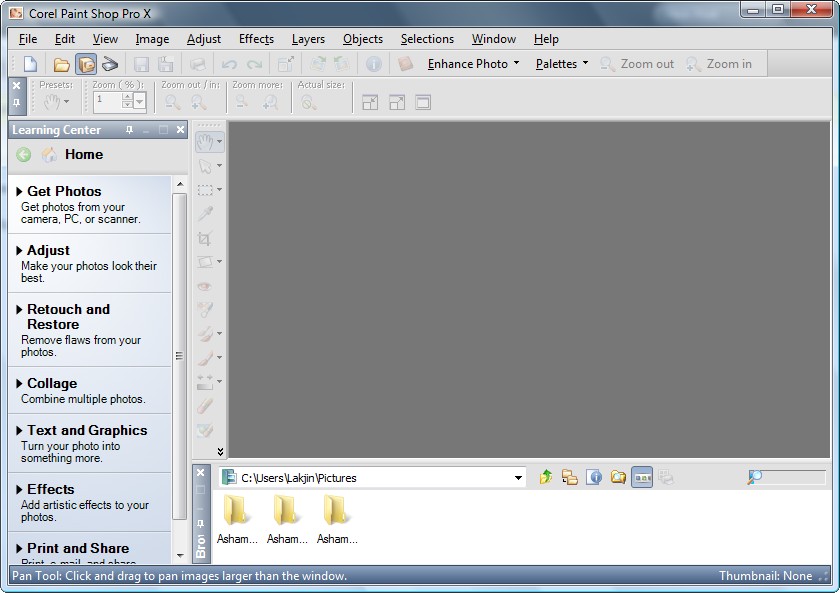
Today I have got a link to download Corel Paint Shop Pro version X (10) for free. This is commercial photo editing software that rivals Adobe Photoshop for functions and usefulness. Recent changes have made it easier to use for beginners whilst retaining the full power of the software if you want to get down to very fine details and editing. If all you want is to remove red-eye, crop and touch up photos then this is too much for you – try Google’s Picasa which is free. But if you want a really powerful program then this is a good one. And hey – this version is totally free so give it a go. It is a large download though (about 100mb) so dial-up users beware.
Some more details on Paint Shop Pro from this sites:

So before I spill the beans on from where to get this software, let me highlight a few features of Corel Paint Shop Pro X:
- One-Step Photo Fix. With just one click, the One-Step Photo Fix command automatically adjusts the color balance, contrast, clarity, and saturation of an image. It also sharpens the image.
- Background Eraser. The Background Eraser tool lets you easily erase unwanted backgrounds while retaining the fine detail in your photos. It's a perfect first step before copying and pasting elements from one photo into another.
- Raw file format support. Paint Shop Pro X continues to support the Camera Raw file format. You can open, enhance, process, and convert images that were saved on your digital camera in the Raw file format.
- Picture Tubes™. A longtime favorite, the Picture Tube tool lets you paint on your photo with a collection of professionally-designed artistic elements. For example, you can add butterflies and beetles to a picnic setting, fill an aquarium with fish, or frame a picture with holly. Picture Tubes are available in a variety of themes, including Animals, Artistic, Embellishments, Nature, Photo Objects, and Plants and Leaves. You can also create your own picture tubes.
- Scripting. A Paint Shop Pro powerhouse, scripting can save you tremendous amounts of time, especially when you are working with batches of images. You simply record a series of commands and then play them back to process an image or batch of images.
- Batch Processing. You can easily process batches of images with Paint Shop Pro. The Batch Process command lets you use scripts to apply fixes to batches of images, and you can also convert batches of images to a different file format.
- Lens Correction filters. Paint Shop Pro continues to provide excellent Lens Correction filters that help you correct common photo distortions, such as fish-eye, barrel, and pincushion.
- Perspective Correction tool. With this tool, you can easily fix buildings, landmarks, or other objects that appear to be leaning away from you in photos taken at an upward angle.
- Straighten tool. This tool lets you quickly align crooked photos by just pointing out a line that should be horizontal or vertical but isn't.
- Scratch Remover. The Scratch Remover tool instantly removes scratches, wires, and other linear flaws from photos. This tool is particularly useful for removing scratches or cracks when restoring old photos, and is also an incredible tool for reducing face wrinkles in photos.
- Clone tool. The Clone tool lets you cover flaws in your photos by copying detail from a neighbouring area. You simply choose a source location and then draw over the flawed area of the image. This replaces the flaw with detail from the source location.
- Motion Blur. You can add Motion Blur to a photo to create the illusion that the photo was taken while the subject was in motion.
- Distort photos. The Warp Brush lets you create caricatures of your subjects by distorting pixels in a particular area of the photo.
As I said, that is just a few features of Corel Paint Shop Pro X - it really doesn't do justice to the program. If you would like to learn more, you are welcome to read the excellent review on it written by Photo-i.
Now this definitely isn't the latest Corel Paint Shop Pro X2 Ultimate edition (that one will cost you around AU$100 - click here to read about the differences in features between all the editions) - but this is still an excellent program worth having if you need this sort of thing.
***Corel Paint Shop Pro X System Requirements:
- 500-MHz processor
- Windows® 2000 (SP4) or Windows XP (it works fine on Windows Vista)
- 256 MB of RAM
- 500 MB of free hard-drive space
- 1024 x 768 resolution display, 16-bit color
- Macromedia Flash™ Player 7 (included)
Here are a couple of links to download from (just in case 1 stops working)
Download Link 1
Download Link 2